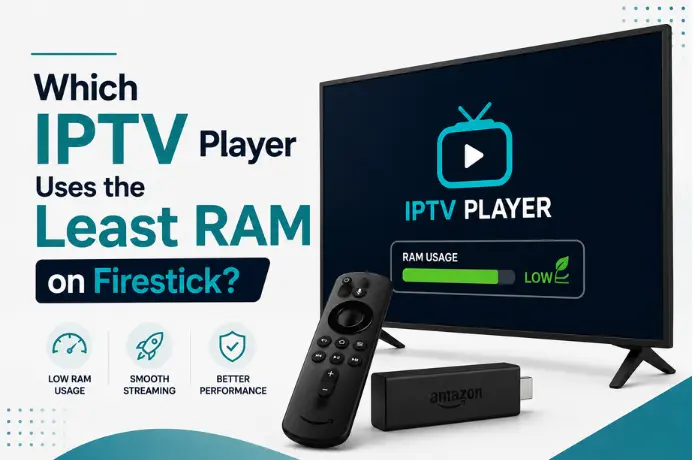

Which IPTV Player Uses the Least RAM on Firestick?
If your Firestick freezes mid-match, takes forever to open an app, or crashes back to the home screen every twenty minutes, RAM is probably the real culprit — not your internet connection, and not your IPTV provider. Firestick devices, especially the older or entry-level models, ship with very limited memory, and IPTV apps are some of the heaviest things you can ask them to run.
This guide is for anyone who's tired of guessing. We'll cover exactly which IPTV players are the lightest on RAM, why that matters more than most people realize, and what you can do right now to make your current setup run smoother — even on an older Firestick.
Why RAM Matters More Than You Think for IPTV
Most Firestick models come with somewhere between 1GB and 2GB of RAM. That has to cover the operating system, background processes, and whatever app you're running — all at once. An IPTV app isn't just displaying a video; it's also loading a channel list, pulling EPG data, rendering a menu, and often keeping multiple streams buffered in the background.
When an app asks for more memory than the device can comfortably give it, one of two things happens: the app slows down and starts stuttering, or the Fire OS force-closes it to free up resources. That's why an IPTV app can work perfectly on a newer Firestick 4K Max and barely function on an older Firestick Lite or first-gen stick.
In short — the app you choose matters just as much as your internet speed when it comes to smooth playback.
The Lightest IPTV Players on RAM
Here's how the most commonly used IPTV apps stack up when it comes to actual memory footprint on Firestick.
1. IPTV Smarters Pro
IPTV Smarters Pro is widely considered one of the lightest full-featured IPTV players available. It handles Xtream Codes and M3U logins, has a clean interface, and — critically — doesn't try to pre-load or cache more than it needs to. On a base-model Firestick, it's usually the smoothest experience you'll get without sacrificing features like EPG or categorized menus.
2. Perfect Player
Perfect Player has a reputation for being about as minimal as IPTV apps get. The interface is simpler and less visually heavy than most competitors, which translates directly into a smaller memory footprint. It's a great option if you don't need a fancy layout and just want channels to load fast and stay stable.
3. GSE Smart IPTV
GSE Smart IPTV sits in the middle — not quite as lightweight as Perfect Player, but noticeably lighter than some of the more graphics-heavy apps on the market. It supports both M3U and Xtream Codes and tends to hold up well on mid-range Firesticks.
4. TiviMate (Free Version)
TiviMate is one of the most popular IPTV apps out there, and for good reason — it looks great and has a lot of polish. But that polish comes at a cost: it's noticeably heavier on RAM than the apps above, especially the premium version with extra customization features. On a Firestick with 1GB of RAM, TiviMate can struggle, but on a Firestick 4K or newer, it runs fine. If you already love TiviMate's interface, it's still usable — you'll just want to follow the optimization tips below.
| App | RAM Usage | Best For |
|---|---|---|
| Perfect Player | Lowest | Older/base Firesticks, minimal setups |
| IPTV Smarters Pro | Low | Most users — light and full-featured |
| GSE Smart IPTV | Moderate | Mid-range Firesticks |
| TiviMate | Higher | Newer Firestick 4K/4K Max |
How to Free Up RAM on Your Firestick (Even Without Switching Apps)
If you'd rather keep using your current app instead of switching, there's a lot you can do to reduce the load on your Firestick's memory.
- Close background apps. Press and hold the Home button on your remote, then swipe left on any app you're not using and press the menu button to close it.
- Clear cache regularly. Go to Settings > Applications > Manage Installed Applications, select your IPTV app, and clear the cache. Do this weekly if you stream often.
- Turn off unnecessary background features. Disable things like "Collect App Usage Data" and any auto-sync features under Settings > Preferences.
- Uninstall apps you don't use. Every installed app takes up some background memory, even when it's not open. A cleaner Firestick runs noticeably smoother.
- Restart your Firestick weekly. A simple reboot clears out memory leaks that build up over days of continuous use.
Does the IPTV Provider Itself Affect RAM Usage?
Yes, to some degree. A provider with a bloated app, unnecessary animations, or poorly optimized EPG loading will use more memory regardless of which player you pair it with. This is one of the reasons FireLive TV is built to work cleanly with lightweight apps like IPTV Smarters Pro and Perfect Player — the service itself doesn't add unnecessary overhead on top of what your chosen app already needs.
If you've been blaming your Firestick for lag, it's worth testing a different provider before assuming your hardware is the problem. A free trial is the easiest way to check this — you can install a lightweight player, connect it to a trial account, and see whether performance improves without spending anything upfront.
Is It Possible to Get a USA IPTV Free Trial?
Yes — and it's one of the most useful ways to test whether your current buffering or freezing issues are actually about RAM, your provider, or your internet connection. If you've been searching for an iptv free trial usa users can actually rely on, FireLive TV offers a free 24-hour trial with no credit card required, giving you full access to 6,000+ live channels so you can test performance on your own device before subscribing to anything.
This is especially useful if you're troubleshooting RAM issues, because it lets you isolate the variable. If a lightweight app still lags during a free trial, the problem is almost certainly your Firestick's hardware. If it runs smoothly, your previous buffering issues were likely tied to your old provider's app rather than your device.
The Bottom Line
If you're dealing with freezing, crashing, or sluggish menus on Firestick, don't assume your internet is to blame — RAM usage from your IPTV app is very often the real issue. Perfect Player and IPTV Smarters Pro are the lightest, most reliable options for older or base-model Firesticks, while TiviMate is better suited to newer, more powerful devices.
Combine a lightweight app with regular cache clearing and a clean Firestick setup, and most performance issues disappear entirely — no new hardware required.
Want to see the difference a well-optimized provider makes? Start your free 24-hour trial and test it on your own Firestick before deciding on a plan.
Still have questions? Chat with us now for a free trial. We're online 24/7.