
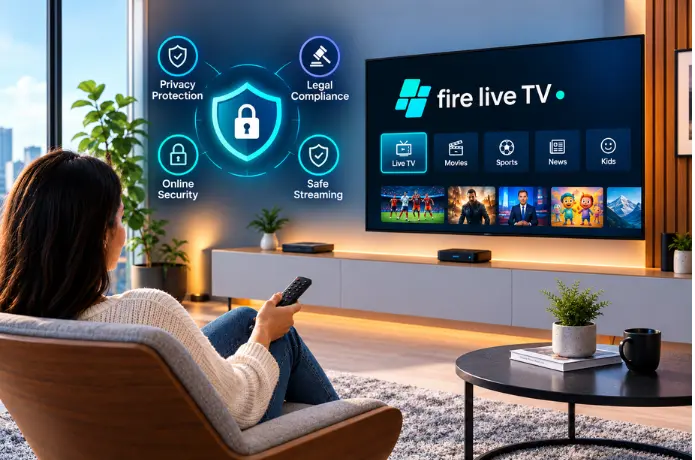

Is IPTV Safe to Use in 2026? Privacy, Security, and Legal Considerations
The question gets asked a lot, and it deserves a straight answer rather than a vague disclaimer. IPTV itself is a technology — a way of delivering television over the internet. Whether using it is safe, legal, and private depends almost entirely on the provider you choose and how that provider operates.
This guide breaks down exactly what the risks look like, how to tell a trustworthy provider from an untrustworthy one, and what you can do to protect yourself regardless of which service you use.
Is IPTV Legal in the USA?
Yes — IPTV as a technology is completely legal. Streaming television content over an internet connection is how most major services work, including YouTube TV, Hulu + Live TV, and others.
The legal question isn't about the technology. It's about whether the provider has the rights to distribute the content it's offering.
A licensed IPTV provider has agreements in place to broadcast the channels it carries. A provider operating without those agreements is distributing content it doesn't have the legal right to distribute — and subscribing to that service puts you in legally ambiguous territory, regardless of whether you knew about the licensing issue when you signed up.
In practice, enforcement in the USA has focused primarily on the providers themselves rather than individual subscribers. But the legal risk to subscribers is real, and the practical risks — unreliable service, sudden shutdowns, no recourse when things go wrong — are more immediate.
Privacy Risks: What Data Does an IPTV Service See?
When you connect to an IPTV service, you're making a network connection to a server run by that provider. The provider can see your IP address, your viewing activity, and depending on how the service is built, potentially other information about your device and usage patterns.
With a reputable provider, this data is used to deliver the service and handled according to a clear privacy policy. With an unknown provider, there's no guarantee of how that data is used, stored, or shared.
What a trustworthy provider does with your data
- Uses your IP address to route streams to your location
- Logs account activity for billing and support purposes
- Operates under a clear privacy policy that explains data use
- Does not sell or share your viewing data with third parties
What an untrustworthy provider might do
- Log and sell viewing data without disclosing this in any policy
- Operate without a privacy policy at all
- Run servers in jurisdictions with weak data protection laws
- Bundle the IPTV app with other software that collects data independently
The practical risk here is higher with providers that ask you to download an unofficial APK or install an app from outside the official app stores. Apps distributed through unofficial channels don't go through the same review process as apps on the Amazon App Store or Google Play, which means there's less oversight of what they actually do on your device.
Security Risks: What Can Go Wrong?
Privacy is about data. Security is about what can actively go wrong on your device. For IPTV users, the security risks break down into a few specific areas.
Malicious apps disguised as IPTV players
Some "free" IPTV apps available through unofficial sources are not IPTV players at all — or are IPTV players that also contain malware. Installing an app from an unverified source on your Firestick, Smart TV, or Android box gives that app access to your device in ways that official app store submissions don't permit.
The safest approach is straightforward: only install IPTV apps from official stores — the Amazon App Store for Firestick, Google Play for Android devices, and the manufacturer's app store for Smart TVs. Reputable IPTV players like IPTV Smarters Pro, TiviMate, and GSE Smart IPTV are all available through official channels.
Phishing through fake IPTV sites
Search for cheap IPTV and you'll find dozens of sites that look like legitimate providers but are designed to collect payment details or personal information. The tell-tale signs are nearly identical to those of other online scams — vague contact information, no physical address, no clear privacy policy, prices that seem too low to make commercial sense.
Shared credentials being compromised
If you source login credentials from public forums or third-party sites rather than directly from a provider, those credentials may have been obtained improperly. Connecting to an unknown server with unknown credentials introduces security risks that a direct provider relationship doesn't.
How to Spot an Untrustworthy IPTV Provider
Most of the safety risks with IPTV trace back to provider choice. Here are the red flags that should make you look elsewhere.
Price is suspiciously low
Legitimate content licensing costs money. If a provider is charging $5–$8 per month for thousands of channels, they almost certainly don't hold the rights to most of them.
No privacy policy
Any legitimate business operating in the digital space has a privacy policy. The absence of one means no accountability for how your data is handled.
No verifiable contact details
A physical address, a real support channel, and identifiable contact information are signs of a provider that plans to be around. Anonymous providers disappear without warning.
No free trial — pay first
Legitimate providers are confident enough in their service to offer a trial. Requiring payment before any access is a signal that the provider knows you might ask for a refund.
Requires downloading an unofficial APK
If accessing the service requires sideloading an app from outside the official stores, the app hasn't passed any security review. That's a meaningful risk.
No support channel
A provider with no accessible support — no chat, no email, no phone — is one where you're on your own if something breaks. Legitimate providers stand behind their service.
Licensed vs Unlicensed IPTV: What's the Real Difference?
This distinction matters more than any other single factor when assessing IPTV safety.
| Factor | Licensed Provider | Unlicensed Provider |
|---|---|---|
| Content rights | Holds distribution agreements | No licensing in place |
| Legal risk to subscriber | Minimal | Ambiguous and increasing |
| Privacy policy | Published and clear | Usually absent |
| Service continuity | Stable long-term | Can shut down without notice |
| Data security | Accountable under policy | No accountability |
| Customer support | Real team available | Usually none |
| App sources | Official stores | Often unofficial APKs |
| Refund/recourse | Clear terms available | None |
Should You Use a VPN With IPTV?
A VPN adds a layer of privacy by encrypting your traffic and masking your IP address from the IPTV provider's server. For viewers who are privacy-conscious or using public or shared networks, it's a reasonable addition.
That said, a VPN does not make an unlicensed service legal. It adds privacy, not legitimacy. The primary reason to use a VPN alongside IPTV is privacy — particularly if you're connecting from a network you don't fully control — not to circumvent legal restrictions on content distribution.
For viewers on a reputable licensed service at home on their own network, a VPN is optional rather than essential. It adds some privacy overhead and a small reduction in connection speed in exchange for additional data protection.
What Makes an IPTV Provider Safe to Use?
Flip the red flags list around and you get a clear picture of what a trustworthy provider looks like.
- Transparent about what they offer. Clear channel lists, honest pricing, no vague claims about content rights.
- Published privacy policy that explains what data is collected, how it's used, and how long it's retained.
- Real contact information — a physical address, a support team that responds, multiple ways to reach them.
- A free trial before any payment. A provider confident in their service offers a trial. It's also a signal of financial transparency — they're not just collecting upfront fees from subscribers they don't expect to retain.
- Apps available through official channels. If you can find it in the Amazon App Store or Google Play, it's gone through a review process that random APKs haven't.
- Pricing that reflects real licensing costs. This doesn't mean expensive — it means not suspiciously cheap. There's a floor to what legitimate content distribution costs.
Practical Steps to Use IPTV Safely
- Choose a provider with a clear privacy policy and real contact details. Read the policy before subscribing. If there isn't one, move on.
- Use the free trial before paying. A trial lets you verify the service works on your devices and delivers what it promises before any money changes hands.
- Only install apps from official app stores. Amazon App Store for Firestick, Google Play for Android, the manufacturer's store for Smart TVs. Don't sideload apps from providers you can't independently verify.
- Use a strong, unique password for your IPTV account. The same password you use elsewhere creates a security risk if any of those accounts are ever compromised.
- Consider a VPN if privacy on shared networks matters to you. On your own home network with a trusted provider, it's optional. On hotel Wi-Fi or a shared connection, it adds a meaningful layer of protection.
- Check your subscription status regularly. Know when your plan renews and monitor your payment details for any unexpected charges — applicable to any subscription service.
Frequently Asked Questions
Is IPTV legal in the USA? +
Can IPTV give my device a virus? +
Is my viewing data private with IPTV? +
Do I need a VPN to use IPTV safely? +
How do I know if an IPTV provider is legitimate? +
What happens if an IPTV provider gets shut down? +
The Bottom Line
IPTV is safe when you choose the right provider. The technology itself is not the risk — the risks come from providers operating without proper licensing, collecting data without accountability, or distributing apps that haven't been vetted.
The protection is straightforward: use a licensed provider with a real privacy policy and real support. Test the service before paying. Install apps only through official stores. And treat pricing that looks too good to be true the same way you'd treat any other deal that looks too good to be true.
If you want to test FireLive TV before committing to anything, the free 24-hour trial gives you full access with no credit card required — the kind of offer that only makes sense for a provider confident in what they're delivering.
Still have questions? Chat with us now for a free trial. We're online 24/7.