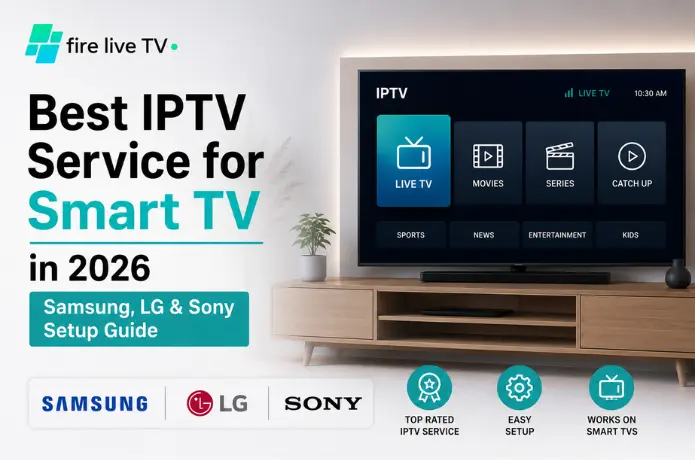

A few weeks ago I was at my uncle's place helping him figure out his new LG Smart TV. We'd just finished connecting everything when he turned to me and asked something I honestly didn't have a quick answer for.
"Why am I paying for three different streaming apps and still can't find half the stuff I want to watch?"
I had to think about that for a second. Because he's right. It's a real problem. Cable got expensive, so people switched to streaming. But now you've got Netflix for some things, another service for live sports, a third one for the shows your kids want — and before long you're spending more than you ever did on cable. Just spread across more logins.
That's the thing that's pushed a lot of Smart TVowners toward IPTV. It's not perfect, and it's not for everyone. But when it works well, it genuinely simplifies things — live channels, sports, movies, on-demand content, all coming through one app instead of four. I've set it up on enough Samsung, LG, and Sony TVs at this point that I've developed pretty strong opinions about what matters and what doesn't. This is what I wish someone had told me when I started.
Why People Are Moving to IPTV in 2026
The way most households watch TV has changed so much in the past five or six years that the old model barely makes sense anymore. The expectation now is flexibility — watch live sports when they're on, catch the news in the morning, stream a movie at midnight, check in on an international channel you care about. People want all of that without having to think too hard about which app has what.
The problem with traditional streaming is that no single service actually delivers everything. So you stack subscriptions. And it adds up fast. IPTV works differently — it delivers content over your internet connection, which means a single service can handle live TV, sports, movies, and on-demand content together. For Smart TV users in particular, most modern televisions can run IPTV apps directly. No extra box required.
What Actually Matters When Choosing a Provider
Here's where I see people go wrong most often: they pick a service based on channel count. You'll see providers advertising 20,000 channels, 30,000 channels, sometimes more. But channel count tells you almost nothing about whether the service will actually work well. I've tested services with enormous libraries that buffered constantly, and smaller providers delivering rock-solid streams night after night.
What you should actually look at:
- Stream reliability A service that works consistently every single day is worth far more than one with a massive library that hiccups constantly. Buffer issues will make you miserable faster than anything else.
- Picture quality If you've got a decent Samsung or LG television, you want to actually use its HD or 4K capabilities. Some providers claim to offer 4K but barely hold up at 1080p under real conditions.
- Customer support Things go wrong. Subscriptions lapse, playlist URLs change, apps update and break things. A provider you can actually reach makes a real difference.
- Device compatibility You want something that works on your Smart TV, but also your phone when you're traveling, your tablet, whatever. A service that only plays nicely with one device type is limiting.
- A working EPG The electronic program guide — basically the channel schedule — makes IPTV feel much more like regular TV. Good EPG data is genuinely underrated.
One service that checks all these boxes is FireLive TV. They offer 6,000+ live HD channels at a low monthly price, a 24-hour free trial so you can test before committing, and plans from monthly to six-month subscriptions — with no hidden costs, 24/7 support, and compatibility across Smart TVs, phones, tablets, and laptops.
Setting Up IPTV by TV Brand
📺 Samsung Smart TV
Samsung televisions are the most common ones I get asked about, and setup is genuinely not complicated.
- From the home screen, open the Apps section.
- Search for an IPTV player. Best options on Samsung's Tizen platform: IPTV Smarters Pro, Smart IPTV, SmartOne IPTV, and Flix IPTV. Smarters Pro works best for most people.
- Open the app once it's installed.
- Enter your subscription credentials — either an M3U playlist URL or Xtream Codes login (username, password, server URL). Your provider's welcome email will have this.
- Wait for channels to load and start watching. The whole process usually takes under ten minutes.
📺 LG Smart TV
LG's WebOS interface is one of the cleaner Smart TV experiences out there, and IPTV setup reflects that.
- Open the LG Content Store and search for an IPTV player — the same options available on Samsung are generally available here too. For a detailed walkthrough, see our guide on setting up IPTV Smarters Pro on LG TV.
- Install the app of your choice and launch it.
- Enter your playlist URL or login credentials.
- The app will pull down your channel list and guide data. Once past the initial sync, LG WebOS tends to run quite smoothly.
📺 Sony Smart TV (Google TV / Android TV)
Sony televisions are probably the most flexible option for IPTV, mainly because Google Play gives you access to a wider range of apps than more closed ecosystems.
- Open the Google Play Store on your TV and search for an IPTV player.
- Install your preferred app — IPTV Smarters Pro and TiviMate are both popular and work well on Sony's platform.
- Enter your credentials, let it load, and you're set.
The Apps Worth Knowing About
Your IPTV app matters more than people realize. The same service can feel smooth or clunky depending on which player you're using.
Where I'd tell most people to start. Not the flashiest, but intuitive, widely supported, and reliable across Samsung, LG, and Sony.
The one power users gravitate toward. Excellent channel guide, more customization options, and a genuinely nicer interface.
Been around a long time with a loyal user base. Simple — which isn't a bad thing — and compatible with a wide range of devices.
Built specifically with Smart TVs in mind. Fast, clean, and navigation feels natural on a TV remote.
How Much Internet Speed Do You Actually Need?
When IPTV buffers, people blame the provider — and sometimes that's fair. But often the real issue is the connection. Here's a rough guide:
| Content Type | Minimum Speed |
|---|---|
| Standard Definition | 5 Mbps |
| HD | 10 Mbps |
| Full HD (1080p) | 15 Mbps |
| 4K | 25 Mbps or more |
If you have multiple devices streaming at the same time, multiply accordingly. And if your router is anywhere near your TV, use an Ethernet cable instead of Wi-Fi — a momentary wireless dip can cause buffering you'd never see over a wired connection.
When Things Go Wrong
Nine times out of ten this is a network issue. Restart your router, switch to Ethernet, and make sure nothing else on your network is hogging bandwidth during peak usage times.
Check that your subscription is still active, you're using the right credentials, and that your playlist URL hasn't changed. Providers occasionally update their server URLs.
Clear the app's cache, check for updates, and make sure your TV's firmware is current. Outdated firmware causes more app issues than most people realize.
Just close the stream and reopen it. This almost always fixes itself on a fresh load and is rarely a persistent problem.
A Few Things I'd Tell Someone Just Starting Out
-
Don't overthink the channel count. More channels doesn't mean better service. I've said it before but it's worth repeating.
-
Test before you commit. Most decent providers offer a trial — FireLive TV gives you a free 24-hour IPTV trial in the USA so you can put the streams through their paces before spending anything. Use that time during the hours you actually watch TV, not at 10am on a Tuesday when servers are barely under load.
-
Keep your setup simple at first. Get one TV working well before you try to set up every device in your house.
-
Be honest about your internet connection. If your broadband is mediocre, no IPTV provider is going to make it feel great.
Frequently Asked Questions
Can I run IPTV directly on my Smart TV?
Do I need a dedicated IPTV box?
Does IPTV work in 4K?
Which Smart TV platform is easiest for IPTV?
What internet speed do I need?
Final Thoughts
The honest answer to my uncle's original question — why are you paying for three streaming services and still can't find what you want — is that no single streaming platform has everything, and the industry hasn't really solved that problem.
IPTV is one way around it. Not a perfect solution, and not the right choice for every household. But for people who want live TV, sports, international channels, and on-demand content without juggling five apps and five subscriptions, it makes a lot of sense.
Where to start: If you're in the US, FireLive TV is worth trying — the free 24-hour trial means you can test it on your actual television before committing to anything. Take your time choosing a provider, run a trial during the hours you actually watch, and don't assume a bigger channel list means a better experience. In this space, it almost never does.