
I don't know anyone who's signed up for a "5,000 channel" package and actually watched more than thirty or forty of them. It's one of those things that sounds amazing on paper — thousands of channels! — and then two weeks later you're just flipping between the same five sports networks and a couple of movie channels, same as always.
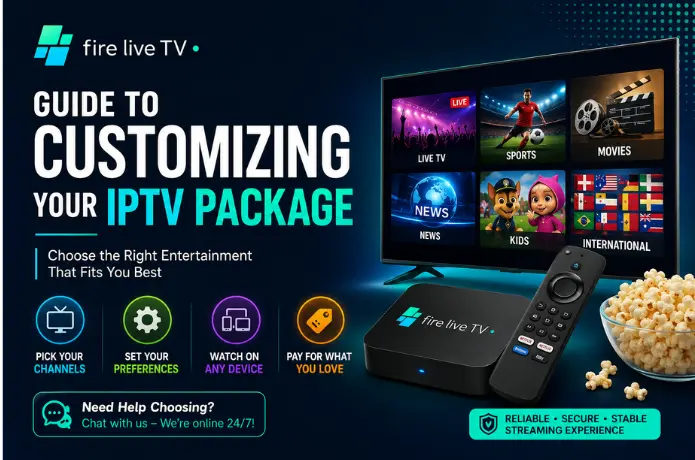
So let's talk about doing this differently. Instead of grabbing whatever package has the biggest number attached to it, you build around what you'll actually watch. Sounds obvious once you say it out loud, but most people don't actually do it — myself included, more than once. This is exactly the approach we take at FireLive TV, where packages are built to be flexible rather than forcing everyone into the same oversized bundle.
Key Takeaways
- A big channel count doesn't mean better value. Match the package to what you actually watch.
- Sports, movies, news, and international content all come with different things worth checking before you subscribe.
- If more than one person will be using the service, device limits and simultaneous streams matter a lot.
- Buffering is often your internet connection's fault, not the provider's.
- Revisit your package every few months — viewing habits shift more than people expect.
Start With What You Actually Watch
Not what you think you should watch. Not what sounds impressive at a dinner party. What you actually put on when you sit down on the couch.
Are you the type who has the game on every weekend? Do you binge one show at a time? Keep the news on in the background while cooking? These are pretty different viewing patterns, and they point toward pretty different packages.
If there's more than one person in your household, good luck — everyone wants something different. One person's watching football, someone else wants a movie, the kids want cartoons. We'll get to that.
Match Categories to Your Real Habits
Sports
If this is you, don't just skim the provider's homepage — dig into the actual channel list. Plenty of people sign up excited about "full sports coverage," only to find out the one league they actually follow isn't even included. Football, basketball, cricket, motorsports — whatever it is, check for it specifically before you pay.
🎬 Movies and Entertainment
Most decent packages have solid entertainment lineups, but check whether there's an actual program guide and some on-demand content, where that's legally offered in your region. And don't get seduced by a huge library size alone — a smaller, more reliable service usually beats a massive glitchy one.
News
Local, national, or international coverage makes a real difference here. If you want BBC in the morning and local news in the evening, confirm both are actually in the lineup before signing up.
International Channels
Big one if you grew up somewhere other than where you live now. A lot of people want to keep up with shows, news, or sports from home — just actually verify the lineup rather than trusting the ad. Availability shifts a lot depending on your provider and location.
Consider Everyone Who'll Be Watching
If it's just you, this part's simple — one device, one stream, done.
Add other people into the mix and you need to think about how many devices are supported and whether everyone can stream something different at once. This trips people up constantly: they assume one account means everyone in the house can watch whatever they want simultaneously, and that's often not true. Check this before you're mid-argument about a frozen stream.
Does It Work on What You Own?
Sounds basic, but it's overlooked all the time. What are you actually watching on — a Smart TV, a Fire Stick, your phone on the commute? Not every service plays nicely with every device, so confirm compatibility before committing.
Setup difficulty is also worth checking. Some services take five minutes to install. Others feel like a part-time job.
Do You Actually Need Thousands of Channels?
For most people — honestly, no.
If your real rotation is 20–30 channels, another two thousand sitting unused isn't adding much. Bigger households with varied interests might genuinely benefit from more range, but for most people it's just noise. Focus on what's actually relevant to you rather than the number on the package.
Buffering Is the Real Enemy
Nothing kills a movie night like the spinning wheel right at the climax — and that's not always the provider's fault.
Streaming quality depends on the service, sure, but also your internet speed, Wi-Fi signal, and the device you're using. If your setup is solid, look for HD or 4K where it's offered. Still buffering? Move the router closer to your streaming device, or run an Ethernet cable if you can.
Features Actually Worth Having
- Electronic Program Guide (EPG)
- Catch-up TV
- Favorites lists
- Search
- Parental controls
- On-demand content
- Multi-device support
The EPG alone saves a surprising amount of time once you're used to it. A favorites list means you're not scrolling past channel 400 every time you want something you already know you like.
Check Your Own Wi-Fi First
I've blamed a streaming service for buffering that turned out to be my own router struggling under three other devices. Run a speed test. Check what else is connected. If Wi-Fi keeps letting you down, Ethernet is boring but reliable.
Price vs. Actual Value
Cheapest isn't always best. Most expensive isn't automatically better either. Before signing up, run through:
- Are the channels I actually watch included?
- Does it work on my devices?
- Is quality good enough for how I watch?
- Are the features ones I'll actually use?
- Is support responsive if something breaks?
- Are the terms — especially cancellation — clear?
A Little Organization Goes a Long Way
Once you've chosen a package, spend a few minutes setting up your favorites. Future-you will thank present-you next time you're not scrolling through hundreds of channels for the one thing you actually want.
Revisit Your Package Every Few Months
What you watched a year ago probably isn't what you're watching now. Maybe sports used to dominate and now it's mostly movies. Habits shift — check in occasionally on whether you're still using what you're paying for.
Quick Questions
Bottom Line
There's no universal "best" IPTV package. The best one matches what you actually watch, works with the devices you own, and doesn't frustrate you every time you sit down to use it. Skip the big scary channel numbers and focus on the boring, practical stuff — the lineup, the devices, the terms. That's what actually determines whether you're happy with it six months in.
If you'd rather skip the guesswork, FireLive TV offers a free trial so you can test the lineup and streaming quality for yourself before committing.
Need Help?
If you're picking your first IPTV package, comparing providers, or just have questions about streaming, we've got you covered.
👉 Start Live Chat
You'll also find more Fire Stick tutorials, IPTV guides, and streaming tips over at FireLiveTV.com.