
There's a specific moment a lot of cable customers hit. It's usually right after opening the bill and seeing a number that doesn't match what they remember signing up for. A "special rate" quietly expired. A sports fee was added. Equipment rental crept up again. Nothing about the channel lineup changed — just the price.
That moment is why cord-cutting stopped being a fringe decision and became something almost everyone considers eventually. But the hesitation that follows is just as common: if I Cancelled Cable in 2026, am I going to lose the shows and games I actually care about?
You don't have to choose between the two. Here's what leaving cable actually looks like right now, how IPTV fits into that decision, and what separates a service worth trusting from one that isn't.
The Real Reason Cable Bills Keep Climbing
Cable pricing works on a pattern most people have experienced firsthand: a discounted rate for the first year, followed by a jump once that window closes. Layered on top of the base price are charges most customers never see coming when they first sign up.
Charged monthly for the device sitting under your TV doing nothing special.
A separate line item that has nothing to do with anything you actually selected.
Regional sports fees added whether or not you watch a single game.
Early-exit fees that lock you in even when you're unhappy with the service.
Add it up and a household that thought they were paying $80 a month ends up somewhere north of $150. Streaming services broke that pattern years ago by proving television doesn't need equipment rentals or multi-year contracts to work. Once people got used to that, going back felt unnecessary.
What "Cutting the Cord" Actually Means
The phrase gets used loosely, but it usually breaks down into a few real paths:
Handle movies and recorded shows — Netflix, Hulu, and similar — but most don't carry live channels at all.
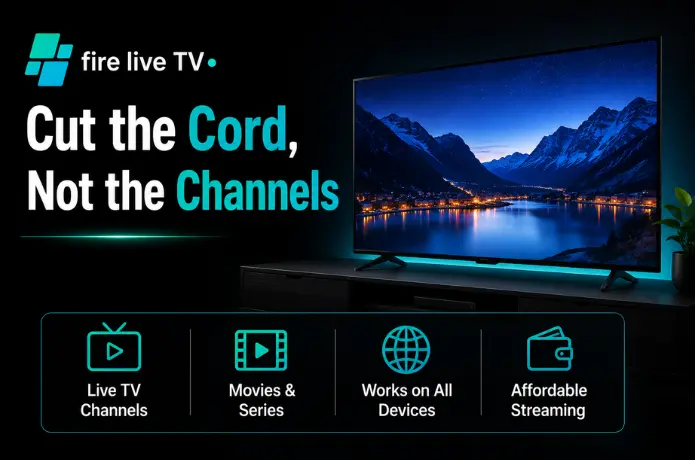
Replaces the actual channel-surfing part of cable, delivering a lineup over your internet connection. This is where FireLive TV lives.
The simplest setup for anyone who mostly wants local news and broadcast networks, with streaming filling in everything else.
Which path fits depends entirely on what you watch. If live sports or breaking news matter to you, an on-demand app by itself won't cover that gap — you'll need something built for live channels.
What IPTV Is — and What to Check Before Signing Up
IPTV stands for Internet Protocol Television — channels delivered over your internet connection instead of a satellite dish or cable line. The technology is simple. What matters is who you're getting that signal from, because providers vary enormously in quality and legitimacy.
Before subscribing to any live TV streaming service, check these six things:
- Where the channels come fromA provider should explain, at least in general terms, how it sources its lineup. If a deal is far cheaper than every competitor with no explanation, slow down — don't sign up faster.
- How stable the streams actually areBuffering and dropped connections are almost always server-side problems, not Wi-Fi problems. A provider that blames your internet without real troubleshooting isn't being straight with you.
- Whether it works on your actual devicesConfirm compatibility with what you already own — Fire TV Stick, Roku, Android box, Smart TV — before paying anything.
- Whether there's a free trialA provider confident in what it offers should let you test it first. FireLive TV offers a 24-hour free trial so you can check stream quality before paying anything.
- How support actually worksCheck whether there's a real person to reach before you need one — not after a login breaks at 9pm during a live match.
- Whether the pricing is honest upfrontWatch for the same trick cable used for decades: a low "starting at" number that balloons once you add the channels you actually want.
Getting Set Up: What the Process Looks Like
Setup varies slightly by provider, but the general steps are consistent across most IPTV and live TV apps.
Setup Steps
- 1Pick your device — Fire TV Stick, Android box, Smart TV app, phone, or tablet.
- 2Install the app from the device's app store, or by sideloading if the provider requires it.
- 3Log in using the credentials sent to your email after signup.
- 4Wait for the channel guide to load — the first load can take a minute or two, especially with a large lineup.
- 5Test it live during an actual broadcast so you can see how it performs under real conditions — not just by scrolling the guide.
Questions Worth Asking Before You Commit
Will I lose access to local channels? +
What internet speed do I actually need? +
Can more than one person stream at the same time? +
Cable's pricing model worked for as long as it did because switching felt complicated and comparing options felt like a hassle. That's no longer true. Streaming — IPTV included — gives you more visibility into what you're paying for and more control over walking away if a service doesn't hold up.
The smartest way to cut the cord isn't to jump at the first cheap-looking option. It's to actually test a service during its free trial, ask the questions above, and pick the one that fits how your household really watches TV.
Your favorite channels aren't going anywhere. The bill that's been growing every year without your permission — that's the thing worth cutting.