
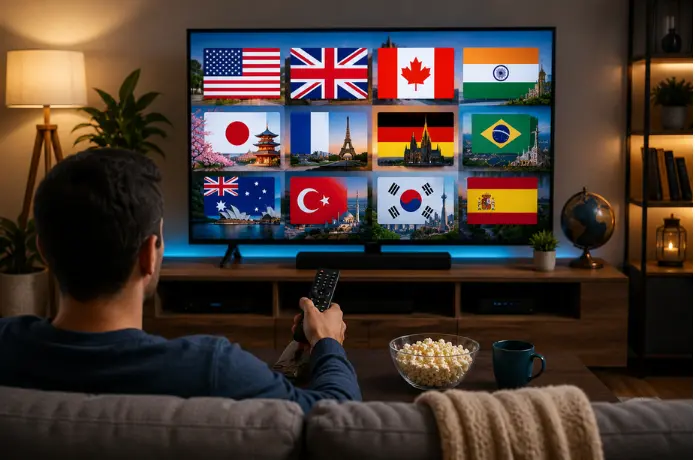

Best Ways to Watch International TV Channels in the USA
Finding your favorite international TV channels in the USA can be challenging, especially when you want to watch programs in your native language. Whether you enjoy Malayalam movies, Hindi entertainment, Spanish-language news, international sports, or regional television shows, several viewing options can help you stay connected to the content you love.
Today, viewers can explore online streaming services, dedicated TV apps, satellite television, and traditional cable packages. The best option depends on your preferred language, budget, available channels, internet connection, and the devices you use at home.
In this guide, we will explore the best ways to watch international TV channels in the USA, explain the differences between popular viewing options, and share practical tips for choosing a suitable service. We will also look at how smart TVs, streaming devices, and internet connections can improve your viewing experience.
1. Why Are International TV Channels Popular in the USA?
International TV channels help people living in the United States stay connected to their languages, cultures, entertainment, and communities. They are especially useful for families who enjoy programs from their home countries or want to introduce younger generations to regional languages and traditions.
Many viewers look for content such as:
- Regional entertainment: Movies, television dramas, comedy shows, and music programs.
- International news: Updates from different countries in familiar languages.
- Live sports: Sporting events and competitions from around the world.
- Kids' programming: Educational shows and entertainment in different languages.
- Cultural programs: Festivals, interviews, documentaries, and regional events.
For example, a Malayalam-speaking family may want to watch Malayalam movies and television programs, while another household may prefer Hindi serials, Spanish-language entertainment, or international news.
Instead of choosing a service based only on its advertised channel count, consider whether it offers the specific channels and programs your household actually watches.
2. Best Ways to Watch International TV Channels in the USA
There are several ways to access international television in the United States. Online streaming is convenient for many households, but cable, satellite, and individual channel apps may also be suitable depending on your viewing needs.
Online streaming services
Internet-based television services allow viewers to access available live channels and on-demand content through compatible devices. Depending on the provider, a subscription may include entertainment, news, sports, and international programming.
Before subscribing, review the channel lineup, supported devices, subscription terms, and availability in your location.
Official broadcaster apps and websites
Some international broadcasters provide programs through their official websites or applications. Depending on the broadcaster and licensing agreements, content may be free, subscription-based, or restricted to certain regions.
This option can be useful if you mainly follow one particular channel, news organization, or entertainment network.
Traditional cable television
Cable providers may offer international channel packages alongside standard television plans. These can be convenient for households that prefer a conventional television setup, although package prices and channel availability vary.
Ask the provider whether the channels you want are included in the package or require an additional subscription.
Satellite television
Satellite services may provide international programming through specialized packages. Availability depends on the provider, location, equipment requirements, and the channels offered.
Installation requirements and ongoing costs are important considerations when comparing satellite television with internet-based alternatives.
Free, ad-supported streaming
Some legitimate services offer free television channels supported by advertisements. Their international selection may be more limited than that of a specialized subscription service, but they can be a useful starting point for budget-conscious viewers.
3. How to Find Channels in Your Preferred Language
Choosing channels by language makes it easier to find programs that match your interests. International television can include regional entertainment, news, sports, movies, and cultural programming, but the selection varies between providers.
Malayalam channels
Malayalam-speaking viewers may want access to regional news, television serials, movies, music, and entertainment programs. Look for a service that clearly identifies its Malayalam channel lineup and confirms availability in the USA.
If your family watches different types of Malayalam content, check whether the service offers both live television and on-demand programs.
Hindi channels
Hindi-language viewers may prefer entertainment networks, movie channels, news, music, and family programming. Compare the available channels rather than assuming that every provider includes the same Hindi content.
Spanish-language channels
Spanish-speaking households can explore local broadcast options, dedicated Spanish-language packages, and streaming platforms with Spanish-language entertainment, news, and sports.
Other international languages
Depending on your preferences, you may also search for Tamil, Telugu, Punjabi, Arabic, French, Korean, and other language-specific programming.
Tips for choosing language-specific content
- Write down the channels and programs your household watches regularly.
- Search the provider's official channel list.
- Confirm that the channels are available to viewers in the United States.
- Check whether live programs, replays, or on-demand content are included.
- Verify subtitles, audio-language options, and parental controls where needed.
A carefully selected package can be more useful than a much larger channel list filled with content you rarely watch.
4. Streaming Apps vs. Traditional Cable TV
Streaming services and cable television both provide ways to watch international programming, but their setup, pricing, and flexibility can differ.
| Feature | Online streaming | Traditional cable |
|---|---|---|
| Internet connection | Usually required | Depends on the service and equipment |
| Device options | Compatible TVs, phones, tablets, and computers | Primarily television with provider equipment; apps may also be available |
| Installation | Often requires only a compatible device and account | May require provider equipment or installation |
| Channel selection | Depends on the streaming provider and package | Depends on the provider and selected package |
| Viewing flexibility | Often supports viewing across compatible devices | Depends on the package and provider's apps |
| Costs | Subscription, internet, and possible add-ons | Package charges, equipment fees, and possible add-ons |
Neither option is automatically cheaper for every household. Compare the total monthly cost, including required equipment, internet service, extra channel packages, taxes, and cancellation terms.
Streaming can be convenient if you already have a suitable internet connection and prefer watching on several devices. Cable may be more suitable if your household already uses a television package that includes the international channels you want.
The best choice is the one that fits your viewing habits, budget, and preferred channel lineup.
5. How to Watch International Channels on Smart TVs and Streaming Devices
Modern televisions and streaming devices can make international programming easier to access. However, the available applications depend on your device, operating system, region, and the streaming provider's compatibility.
Smart TVs
Many smart TVs support streaming applications through their built-in app stores. To get started:
- Connect your television to your home internet.
- Open its application store.
- Search for the official app of your chosen provider.
- Install the app if it is supported.
- Sign in or follow the provider's subscription instructions.
If an application is unavailable, check the provider's supported-device list before purchasing additional equipment.
Amazon Fire TV and Fire TV Stick
Compatible Fire TV devices can run supported streaming applications, allowing viewers to access content directly through their televisions. Check the official app listing and device compatibility before subscribing.
Apple TV
Apple TV provides access to supported television and streaming applications. Confirm that the provider has an application compatible with your Apple TV model and region.
Smartphones, tablets, and computers
Many streaming services support mobile applications or web browsers. These devices are useful for watching while travelling or when someone else is using the television.
However, simultaneous-streaming limits and device restrictions may apply.
For additional advice, read FireLive TV's guide on how to fix streaming buffering issues.
6. What to Check Before Choosing an International TV Service
Before purchasing a subscription, evaluate the provider's features, terms, and reliability. A good decision depends on more than the number of advertised channels.
Channel availability
Check the actual channel lineup and confirm that the specific international channels you want are available in the USA. Channel lists can change, so review the provider's current information.
Subscription price
Compare monthly and longer-term plans. Consider renewal prices, additional charges, refund policies, and cancellation procedures.
A lower advertised monthly equivalent may require paying for several months upfront.
Device compatibility
Confirm that the service supports your smart TV, streaming device, smartphone, tablet, or computer. If several family members will watch, check the permitted number of simultaneous streams.
Streaming quality
Look for clear information about supported video resolutions, playback requirements, and recommended internet speeds. Actual performance also depends on your network, device, and the provider's infrastructure.
Customer support
Check how to contact support, what hours it operates, and whether troubleshooting information is available.
Privacy and security
Use official applications and websites, protect your account with a strong password, and review the service's privacy policy. Avoid suspicious downloads or websites that request unnecessary personal or payment information.
Licensing and legality
Choose a service that is authorized to distribute the channels and programs it offers in your location. Confirm that the provider has the appropriate rights and that its terms comply with applicable laws.
Taking a few minutes to check these details can help you avoid unsuitable subscriptions and unexpected costs.
7. Internet Speed and Buffering Tips for Better Viewing
A reliable internet connection helps deliver smoother streaming, but the speed you need depends on video quality, the number of active devices, and the service's requirements.
If international channels repeatedly pause, freeze, or display lower-quality video, try these practical steps.
- Check your connection. Run an internet speed test and compare the result with your provider's recommendations for your selected video quality.
- Use a wired connection when possible. Ethernet can provide a more stable connection than Wi-Fi in some home environments.
- Improve Wi-Fi coverage. Place your router in a central, open location and reduce obstructions between the router and television.
- Limit competing network activity. Large downloads, video calls, and multiple simultaneous streams can affect available bandwidth.
- Restart your equipment. Restarting your router and streaming device may resolve temporary connection issues.
- Update your applications. Install supported software and application updates to address compatibility or performance problems.
- Check for service-side issues. If other websites work normally but one streaming service continues buffering, contact its support team to investigate.
For more detailed troubleshooting, visit How to Fix IPTV Buffering Issues Fast.
8. Common Mistakes to Avoid When Choosing a Service
Choosing the wrong international TV service can lead to unnecessary expenses and a frustrating viewing experience. Avoid these common mistakes before committing to a subscription.
- Choosing by channel count alone: A large channel list is not useful if your preferred language or programs are missing. Check the actual lineup first.
- Ignoring regional restrictions: Some apps and channels are unavailable outside their licensed regions. Confirm that the content can legally be accessed in the USA.
- Overlooking renewal terms: Promotional prices and longer subscriptions may have conditions. Review the total cost and renewal policy.
- Assuming every device is supported: An application available on one smart TV model may not work on another. Verify compatibility in advance.
- Ignoring streaming requirements: A slow or unstable connection can affect playback. Check recommended speeds and your home network before blaming the service.
- Trusting unrealistic promises: Be cautious about providers that make unsupported claims about unlimited availability, perfect playback, or guaranteed access to every channel.
- Skipping the terms and privacy policy: Understand how the service handles personal information, billing, cancellations, and customer support.
A little research helps you choose a provider based on real requirements rather than promotional claims.
9. Explore International Entertainment With FireLive TV
If you are looking for a convenient way to explore live television and international entertainment, FireLive TV is one option to investigate.
Visit the FireLive TV website to review the service's current offerings and subscription information. Before choosing a plan, confirm the channels you want, availability in the United States, compatible devices, and the terms that apply to your subscription.
Consider these points when evaluating the service:
- Review the available international and entertainment channels.
- Confirm support for your preferred viewing device.
- Compare the subscription plans and total cost.
- Check the free-trial terms, including its duration and any conditions.
- Review support options and cancellation policies before subscribing.
A service should fit your actual viewing needs, whether you mainly watch regional entertainment, international news, movies, or sports.
Visit FireLive TV and review the available plans and channel information before making your decision.
10. Frequently Asked Questions
1. What is the best way to watch international TV channels in the USA? +
2. Can I watch international TV channels on my smart TV? +
3. Can I watch Malayalam and Hindi channels in the USA? +
4. Do I need cable to watch international TV channels? +
5. Can I watch international channels for free? +
6. What internet speed do I need for international TV streaming? +
7. Is it important to check licensing before subscribing? +
Final Thoughts
Watching international TV channels in the USA is easier when you choose a service that matches your preferred languages, viewing habits, budget, and devices. From official broadcaster apps and streaming subscriptions to cable and satellite packages, there are several options worth comparing.
Before subscribing, check the channel lineup, device compatibility, internet requirements, pricing, and licensing details. If you are considering FireLive TV, review its current offerings and subscription terms to determine whether they meet your needs.
The goal is simple: find a reliable, suitable way to enjoy the international programs you love, wherever you watch.