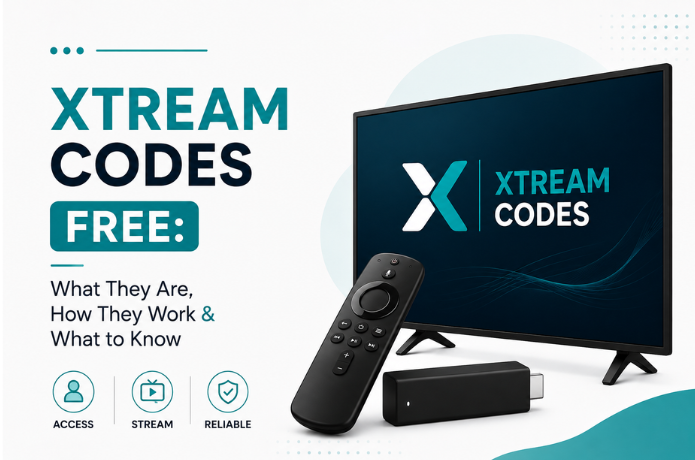

Xtream Codes Free: What They Are, How They Work & What to Know
Type "Xtream Codes free" into Google and you'll get flooded with forums, sketchy-looking sites, and IPTV Facebook groups all promising working login details. Before you plug any of those into your player, though, it's worth understanding what Xtream Codes actually are, how the login process works, and why a code that works this morning might be dead by dinner.
So What Are Xtream Codes, Exactly?
At their core, Xtream Codes are just login credentials — a way for an IPTV player to connect to whatever server is hosting the content.
You'll usually get handed three things:
- A server or portal URL
- A username
- A password
Punch those into a player that supports the format, and once it authenticates, it pulls in whatever the provider makes available — channels, categories, an EPG, movies, series, all of it. What you actually see depends a lot on both the provider and the app you're using.
What People Mean When They Say "Free Xtream Codes"
Here's the thing — that phrase gets used loosely, and it doesn't always mean the same thing. Depending on who's saying it, "free Xtream codes" might refer to:
- Free login credentials floating around online
- A short-term or temporary account
- An official free trial from an actual provider
- Test credentials meant just for checking device compatibility
- Someone's personal account being shared publicly
None of these are really equivalent. A real provider offering a free trial so you can kick the tires before paying is a completely different situation than some random code posted in a forum thread — one is intentional, the other is often an account that was never meant to be handed out in the first place.
How the Login Process Actually Works
If your provider supports Xtream Codes, getting connected isn't complicated. It usually goes something like this:
- Pick a player that supports it. You'll need an app built to handle Xtream Codes or the Xtream Codes API login format.
- Grab your credentials. Your provider gives you the server URL, username, and password.
- Enter everything carefully. Typos here are a common source of "it's not working" — enter the details exactly as given.
- Let it connect. The app reaches out to the server and tries to pull in whatever's tied to your account.
- Watch it load. Assuming the credentials check out and the server's actually up, your channels and content should show up.
Are Free Codes Actually Safe to Use?
This is really the question that matters most, and the honest answer is: it depends, but proceed carefully.
Not every site handing out "free" Xtream Codes is legit. Some of these credentials belong to accounts that were never supposed to be public in the first place — someone's paid subscription, leaked or shared without permission.
Beyond the trust issue, there are some very practical downsides too.
They tend to die without warning. A code posted online today could be deactivated by tomorrow. There's no guarantee of lifespan.
The servers are often a mess. Free accounts frequently sit on overloaded, poorly maintained servers, which means buffering, dropped connections, or channels that vanish mid-stream.
You don't know who's behind it. You're often connecting to a server run by a total stranger. Don't hand over personal info or download random apps just to chase free access — that's a good way to end up with more than you bargained for.
Content is usually limited. Compared to a proper subscription, free accounts often come with a smaller, less reliable channel lineup.
There's no one to call when it breaks. A legitimate provider gives you support to contact when something goes wrong. Random shared codes come with zero backup — you're on your own.
Free Code vs. Free Trial — Not the Same Thing
People mix these up constantly, but they're pretty different.
A free Xtream Code is typically just credentials someone else shared, with no real accountability behind them.
A free IPTV trial comes directly from the provider — it's a deliberate offer meant to let you test the service before committing to pay for it.
If your goal is genuinely to evaluate a service, the trial route wins almost every time. You get your own credentials, direct from the source, and actual support if something breaks.
Why Does a Free Code Just... Stop Working?
If a code you found online suddenly quits on you, there's a decent list of possible culprits:
- The account expired
- Someone changed the username or password
- The provider shut the account down
- The server itself went offline
- Too many people are hammering it at once
- It hit its connection limit
- Your app has a compatibility hiccup
This unpredictability is really the whole problem with relying on random shared credentials — you're never quite sure how long any of it will last.
Does This Work on Firestick?
Yep — Xtream Codes work fine on Firestick, as long as you're using a compatible IPTV app. The exact setup varies slightly by app, but broadly: install a player that supports Xtream Codes, find the login option for it, and enter the credentials your provider gave you.
Stick to apps from sources you actually trust, and make sure whatever service you're using has the rights to distribute the content it's offering. The FireLive TV setup guide walks through the full Firestick setup if you want a clear step-by-step.
What to Actually Look for in an IPTV Trial
If your real goal is just testing things out before you pay, an official trial beats hunting for free codes almost every time. Before you sign up for one, it's worth checking:
- Whether a trial is even offered
- How long you get to test it
- What devices it supports
- Whether there's real customer support
- How stable the connection and streaming quality are
- What channel categories are included
- The actual subscription terms
- Whether the provider has the rights to the content it's offering
Testing under normal, real-world conditions tells you a lot more than a free code ever will.
Bottom Line: Is Chasing Free Codes Worth It?
The appeal is obvious — no upfront cost. But reliability is almost always where things fall apart.
If you're just curious how Xtream Codes work in the first place, going through a legitimate provider's free trial is honestly the smarter move. You get credentials that are actually yours, a real test of the service, and someone to contact if it doesn't behave.
For anything long-term, things like reliability, support, device compatibility, and legitimate content rights matter a lot more than saving a few bucks on day one.
Quick FAQ
What are Xtream Codes used for? +
Are free Xtream Codes actually out there? +
How long do free codes usually last? +
Can I use Xtream Codes on a Firestick? +
Are Xtream Codes the same thing as M3U? +
Should I just grab random codes off the internet? +
Want to Test IPTV the Safer Way?
Rather than gambling on random free Xtream Codes from who-knows-where, an official trial lets you test things properly. FireLive TV offers a free 24-hour trial for anyone who wants to try the service and check it works with their setup — before deciding anything.
Still have questions? Chat with us now for a free trial. We're online 24/7.