
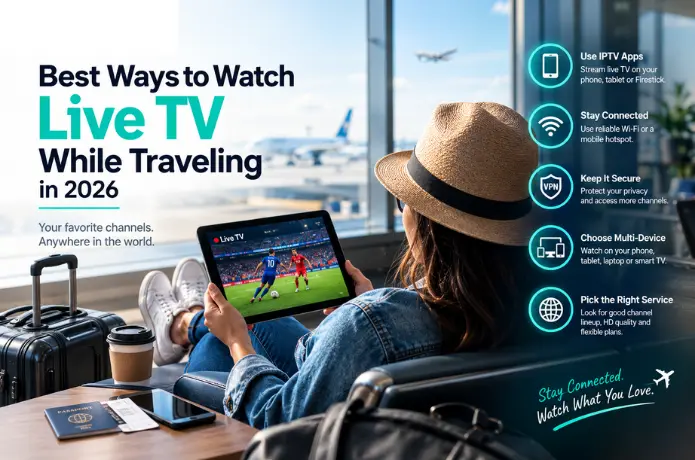

Best Ways to Watch Live TV While Traveling in 2026
You have packed your bags, checked your boarding pass, and sorted out your hotel. Then you remember the big match, the evening news, or your favorite show airing while you are away. Watching live TV at home is easy. Watching it from a hotel room, an airport lounge, or a rented apartment in another city is where things get complicated.
The good news is that travelers have more options than ever. Streaming apps, portable devices, and mobile data can keep live television within reach, as long as you choose the right setup before you leave. The best method depends on where you are going, what you want to watch, and which devices you carry.
In this guide, we explain the best ways to watch live TV while traveling in 2026, how to prepare your devices, how to stay connected on the road, and how to avoid the most common problems. We also include a simple packing checklist you can use before your next trip.
1. Why Can Live TV Be Tricky While Traveling?
Live television is usually licensed by region. That means a channel available in your home city may be limited, blocked, or different when you are somewhere else. Some services also ask you to confirm your home location from time to time, and others restrict certain sports or local channels outside your registered area.
Travel also changes your connection. Hotel Wi-Fi can be slow and shared by hundreds of guests, mobile data may be limited or expensive abroad, and public networks are often less reliable than your home router.
Before you travel, it helps to understand three things:
- Content rights: Channels and events may be available in some countries and not others.
- Provider rules: Each service sets its own terms for watching away from home.
- Connection quality: Live video needs a steady connection more than a merely fast one.
Checking these points early can save you from discovering a problem at the moment your program starts.
2. Best Ways to Watch Live TV While Traveling
There is no single best method for everyone. These are the most practical options, along with what to consider for each.
Live TV streaming apps on your phone or tablet
A phone or tablet is the simplest travel solution. You already carry it, it fits in your bag, and most streaming services offer a mobile app. Install the app, sign in before you leave, and test a live channel while you are still on your home network.
If you use an Android device, our guide to watching live TV on Android phones and tablets explains the setup step by step.
A portable streaming stick for hotel TVs
A compact streaming stick lets you turn a hotel or rental TV into your own smart TV. Plug it into an HDMI port, connect it to the available Wi-Fi, and sign in to your apps. Many travelers prefer this because the viewing experience feels just like home.
Remember to bring the power adapter and, if possible, a short HDMI extender. Some hotel TVs have HDMI ports that are hard to reach. Also check whether the hotel network requires a login page, since some streaming sticks need extra steps to connect to that kind of Wi-Fi.
Laptop or computer with a web player
If your provider offers a browser-based player, a laptop is a good backup. It has a larger screen than a phone and can connect to many hotel networks without special setup. You can also connect it to a TV with an HDMI cable.
Casting from your phone to the hotel TV
Some hotel TVs support casting, which lets you send video from your phone to the screen. This depends entirely on the hotel's equipment and network settings. Many hotels separate guest devices from the TV network, so do not rely on casting without checking in advance.
Official broadcaster and sports apps
If you mainly follow one channel, league, or news network, its official app may be the easiest choice. Some offer free live streams or short-term passes, although availability depends on your location and licensing rules.
Free, ad-supported live channels
Legitimate free streaming platforms can be useful when you only want news, entertainment, or background viewing. Their channel choices are more limited than a full subscription, but they are a good backup option if your main service has a problem.
Recordings and downloads for offline viewing
Some services let you save recordings or downloads, depending on the plan and the program. If you are flying or visiting a place with weak internet, saved content can be a lifesaver. Check whether live events can be recorded, because many cannot.
3. Comparing Your Travel Options
This table summarizes how each approach performs for common travel situations.
| Option | Best for | Things to check |
|---|---|---|
| Phone or tablet app | Quick, flexible viewing anywhere | Battery life, mobile data use, screen size |
| Streaming stick | Watching on a hotel or rental TV | HDMI access, hotel Wi-Fi login, power adapter |
| Laptop web player | Larger screen and backup viewing | Browser support, battery, HDMI cable |
| Casting to TV | Sharing a screen with family or friends | Hotel network settings and TV support |
| Official broadcaster apps | Following one channel or league | Regional restrictions and subscription needs |
| Free ad-supported channels | Budget-friendly backup viewing | Limited channel lineup and ads |
4. Traveling Within Your Country vs. Going Abroad
Domestic travel
Traveling within your own country is usually simpler. Your service is more likely to work as expected, although local channels, regional sports coverage, and blackout rules may change depending on where you are. If you rely on local news or a regional sports channel, check the provider's rules before you go.
International travel
Going abroad adds more variables. Some channels may be unavailable, some may show different programming, and some services may limit access outside your home country. Roaming charges can also add up quickly if you use mobile data.
Plan ahead by reading your provider's terms about use outside your home region and checking which channels are available at your destination. If you watch international programming from overseas, our guide to watching international TV channels in the USA offers useful tips on checking channel availability and licensing.
5. How to Stay Connected While You Travel
A good streaming service cannot overcome a poor connection. These are the main ways to get online, and how to improve each.
Hotel and rental Wi-Fi
Hotel Wi-Fi is convenient but often crowded, especially in the evening. Connect near the router if you can, and ask the front desk whether the property offers a faster or premium connection. If your streaming stick cannot reach a login page, ask whether the hotel can register the device or whether you can use your phone as a hotspot instead.
Mobile data and eSIM options
Your phone's mobile data is a handy backup. For international trips, check roaming charges with your carrier or consider a local SIM or travel eSIM from a reputable provider. Live video can use a lot of data, so set a budget before you start streaming.
As a rough guide, high-definition streaming can use between one and three gigabytes per hour, and higher resolutions can use more. Lowering the video quality in the app can reduce this considerably.
Portable hotspots
A portable Wi-Fi hotspot or your phone's hotspot feature can give your streaming stick or laptop a private connection. This often works better than shared hotel Wi-Fi, but it still depends on your mobile signal and data allowance.
Tips for a steadier stream
- Connect to a 5 GHz Wi-Fi network when it is available.
- Avoid streaming during the busiest evening hours if the network is slow.
- Close other apps and pause downloads on your devices.
- Lower the video quality if playback keeps stopping.
- Restart the app or device if a channel freezes.
For more detailed help, read our guide on how to fix IPTV buffering issues.
6. Your Live TV Travel Checklist
Spend a few minutes on this list before you leave. It prevents most last-minute surprises.
- Sign in to your streaming apps on every device you plan to take.
- Test a live channel on your home Wi-Fi and on mobile data.
- Read your provider's rules about watching away from home.
- Check which channels and events are available at your destination.
- Update your apps and device software before you travel.
- Pack chargers, a power bank, and any adapters you need.
- Bring your streaming stick, its power cable, and a short HDMI extender.
- Download any shows or recordings you want for flights or weak-signal areas.
- Save your account details securely and enable two-factor authentication if it is offered.
- Know how to contact customer support if something goes wrong.
7. Staying Safe on Public and Hotel Wi-Fi
Public networks are convenient, but they are less secure than your private home connection. You should treat them with caution, especially when you sign in to accounts or enter payment information.
- Connect only to the network name given by the hotel or venue.
- Avoid entering payment details on public Wi-Fi when possible.
- Use strong, unique passwords and turn on two-factor authentication.
- Keep your devices and apps updated.
- Download apps only from official stores or the provider's website.
- Log out of your accounts on shared or borrowed devices.
8. Common Mistakes Travelers Make
- Not testing before leaving: Try your setup at home first so you can fix problems before you travel.
- Assuming every channel works everywhere: Licensing rules vary by country and sometimes by region.
- Forgetting hotel Wi-Fi limits: Some networks block streaming sticks or need an extra login step.
- Ignoring data costs: Live video on roaming data can become expensive quickly.
- Packing no backup: A phone, tablet, or laptop gives you another way to watch if one device fails.
- Skipping the terms: Understand the provider's rules for use away from home, including simultaneous stream limits.
- Using unofficial apps: Unknown apps may expose your device to security risks and may not be authorized to offer the content they advertise.
A little preparation is usually the difference between a smooth trip and a frustrating one.
9. What to Look for in a Travel-Friendly Live TV Service
If you travel often, choose a service that fits that lifestyle rather than one with the biggest advertised lineup. Look for:
- Support for phones, tablets, computers, and streaming sticks.
- Clear information about watching away from home.
- Enough simultaneous streams for your family or travel group.
- Reliable customer support when you are in a different time zone.
- Transparent pricing, trial terms, and cancellation policies.
- Playback options that work well on weaker connections.
If cost is a concern, our article on the cheapest live TV streaming services in 2026 can help you compare options, but remember to compare channels and features as well as price.
10. Explore Live TV on the Go With FireLive TV
If you are looking for an internet-based live TV service that works across several devices, FireLive TV is one option to explore. Visit the FireLive TV website to review its current channel packages, supported devices, and subscription plans.
If you want to test the service before committing, check the official site for current free-trial terms and conditions. A trial is a good chance to see how channels play on your own phone, tablet, or streaming stick, and to test them on the kind of connection you will use while traveling.
You can find installation instructions in the FireLive TV setup guide, and you can review the available plans on the subscription page. Before you subscribe, confirm channel availability in the places you plan to visit, device compatibility, and the terms for renewal and cancellation.
Visit FireLive TV, review the channel information and setup guide, and test the service on your devices before your next trip.
Final Thoughts
Watching live TV while traveling in 2026 is easier than it has ever been, but it still rewards preparation. A flexible streaming service, a few portable devices, and a plan for a reliable internet connection can keep your favorite programs within reach, whether you are in a hotel, on a train, or visiting family.
Before you leave, test your setup, read your provider's travel rules, check channel availability at your destination, and pack the small accessories that make hotel TVs easier to use. If a service fits the way you actually travel, you can spend less time troubleshooting and more time enjoying the trip.