
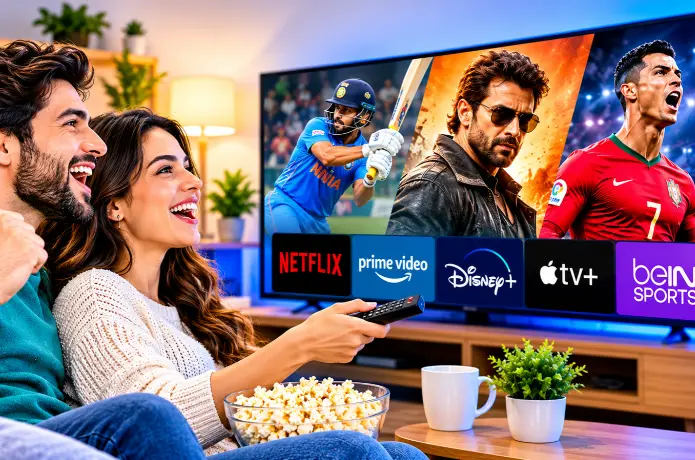

Best Entertainment Subscription Plans for Sports and Movie Lovers
If you love live sports and great movies, you have probably noticed that no single subscription covers both. Sports are scattered across networks and apps, and movies are scattered across streaming libraries. Add them up, and a few separate subscriptions can cost more than the cable bill you were trying to escape.
The good news is that you don't need to pay for everything, all year. With a little planning, you can build a setup that covers the games you care about and the movies you want to watch, without wasting money on things you don't use.
In this guide, we explain the main types of entertainment subscription plans, which combinations work best for different kinds of viewers, and how to keep the total cost under control.
1. Why Is It So Hard to Find One Plan for Everything?
It comes down to rights. Sports leagues, networks and studios sell their content to different companies, so the games you want and the movies you want rarely live in the same place.
- Sports are split. A single league can be spread across several broadcast networks and streaming apps in the same season. For example, NFL games in 2026 are spread across CBS, FOX, NBC, ESPN and ABC, Prime Video and Netflix.
- Movies come and go. A film can move from one service to another, so what's available changes month to month.
- Plans come in tiers. Cheaper tiers often include ads and fewer features, and premium tiers cost more.
- Prices rise. Many services raise prices over time, so a plan that seemed cheap can cost more later.
Because of this, the smartest approach is to start with what you actually watch, rather than with what a service advertises.
2. The Main Types of Entertainment Subscription Plans
| Plan type | Best for | Watch out for |
|---|---|---|
| Movie and series streaming apps | Movie nights and binge-watching | Little or no live sports, and ads on cheaper tiers |
| Network streaming apps | Following the games on one network | Each network is a separate subscription |
| Sports-focused plans | Fans of a single sport or league | Limited movies, and coverage can have gaps |
| Live TV streaming bundles | One place for sports channels and entertainment | Higher cost, and local channel availability varies |
| Cable and satellite | Traditional setup with broad lineups | Fees, equipment and contracts |
| Internet-based live TV services | Many live channels in one subscription | Licensing and quality vary, so verify |
| Free ad-supported apps | Casual viewing and backup | Limited live sports and newer movies |
Most people end up mixing two or three of these types rather than relying on one.
3. Best Combinations for Different Viewers
Here are some practical setups. Adjust them to the teams and genres you follow.
The budget-minded fan
Use a digital antenna for the games on local broadcast channels, which can be free where reception is good. Add free ad-supported apps for casual movies, and pay for just one movie-focused service. This keeps your costs low while covering a lot.
The football fan
Football is spread across many outlets. In 2026, Sunday games are on CBS and FOX, Sunday night is on NBC, Monday night is on ESPN and ABC, Thursday night is on Prime Video, and some games are on Netflix. A live TV bundle with your local channels can cover the broadcast networks in one place, or you can combine the networks' own apps, and then add Prime Video and Netflix for their games. Our guide on how to watch NFL Thanksgiving and Black Friday games without cable shows how this works for the holiday games.
The soccer fan
Soccer rights are split across many English and Spanish-language networks and apps, and they change by competition and season. Check which service has your team or league, and consider a month-by-month approach in the busy part of the season. Our guide to watching Spanish-language TV in the USA covers Spanish-language options.
The family movie-night household
Choose one or two movie and series services with good family profiles and parental controls. Check how many screens can stream at once and whether downloads are allowed for car trips. Add live sports only if your family follows a specific team.
The "I want everything live" viewer
If you want sports channels, news and movie channels in one guide, a live TV bundle or an internet-based live TV service may suit you better than a stack of apps. Compare channel lists carefully, because bundles differ.
The shared household
Check each plan's rules on simultaneous streams and sharing before you pay. A cheaper plan with one screen can be a poor deal if three people want to watch at once.
4. Rotate Subscriptions Instead of Keeping Them All
One of the easiest ways to save money is to subscribe only when you need a service. Sports are seasonal, and movies can often wait.
- Subscribe to a sports service when your team's season or a big event starts.
- Cancel it when the season ends, and resubscribe next year.
- Use a movie service for a month or two to watch what you have been saving, then pause or cancel.
- Set a calendar reminder so you remember to cancel before the next billing date.
Rotating works well because most services let you leave and return without penalty. Check the cancellation and billing terms first.
5. Ads, Quality and Screens: What Else to Compare
- Ads or no ads: Ad-supported tiers cost less, but some live events and movies carry ads even on higher tiers. Check what each tier actually removes.
- Video quality: 4K and HDR often need a higher plan and a compatible TV. If you don't have a 4K TV, don't pay extra for it.
- Simultaneous streams: Make sure enough screens can watch at once for your household.
- Downloads: Handy for flights and road trips. Check whether your plan includes them.
- Devices: Confirm that the service works on your TV and streaming stick.
- Catch-up and recording: Useful if you can't watch games live. See our guide, What Is Catch-Up TV?, for how replay works.
6. Work Out Your Real Monthly Cost
Subscriptions add up quietly. Write them all down, so you can see the total and decide what to keep.
| Service | Monthly cost | What I use it for | Keep, rotate or cancel? |
|---|---|---|---|
| Example: sports app | Fill in | My team's games | Rotate |
| Example: movie service | Fill in | Weekend movies | Keep |
| Example: live TV bundle | Fill in | Sports channels and news | Review |
For longer plans, divide the total price by the number of months to see the real monthly cost. Our guide to choosing a live TV subscription that fits your budget explains how to compare plans fairly.
7. A Checklist Before You Subscribe
- Are the specific teams, leagues and channels I follow included?
- Are my favorite movies and genres actually there, and for how long?
- What are the ads, quality and screen limits on this tier?
- What is the price after any introductory period?
- How do I cancel, and is there a refund policy?
- Does it work on my devices?
- Does the provider have clear terms, a privacy policy and real support?
- Is there a free trial I can use to test it first?
8. Get the Most Out of Your Connection
Live sports is the hardest test for your internet, because there is no long buffer to hide a drop. A few habits help:
- Use an Ethernet cable if your device has a port, or sit close to your router.
- Connect to the 5 GHz Wi-Fi band when available.
- Restart your router before big games.
- Pause large downloads while you watch.
If streams still struggle, our guide on how to fix IPTV buffering issues can help, and our article on watching live TV on Google TV and Chromecast covers device setup.
9. Trying Live Sports and Movie Channels With FireLive TV
If you want many live channels in one place, FireLive TV is one internet-based service you can evaluate. Because lineups differ between services, the key question is whether it includes the sports and movie channels you actually watch. Check the current channel list on the website and confirm your devices are supported.
FireLive TV offers a free 24-hour trial for viewers in the USA, so you can test it before you pay. Since 24 hours is short, plan your test:
- List the sports channels and movie channels you care about most.
- Follow the setup guide for your device.
- Start the trial when a game is on, and watch live in the evening.
- Open a movie channel afterward, and check the picture quality.
- Check the program guide, and see how easy it is to find what is on.
- Ask support a question and see how they respond.
Read the trial terms before you start. Our article on choosing a live TV subscription on a budget can help you compare the plans afterward.
10. Common Mistakes to Avoid
- Subscribing to everything at once: Start with the sports you can't miss.
- Forgetting to cancel: Set a reminder when you subscribe.
- Paying for 4K without a 4K TV: Match the plan to your equipment.
- Ignoring ads: Check what the tier really includes.
- Choosing by channel count alone: Check that your teams and channels are in the lineup.
- Overlooking screen limits: Make sure the whole household can watch.
- Not testing before paying: Use a free trial, and test during a real game.
- Using unofficial streams: They can fail mid-game and put your device and payment details at risk.
Final Thoughts
The best entertainment plan for sports and movie lovers isn't one subscription. It's the right mix for the way you watch. Start with the sports you can't miss, add a movie service you will actually use, rotate the rest, and check the details before you pay. A little planning keeps your entertainment great and your monthly bill under control.
If you want to try an internet-based TV service, visit FireLive TV to check the current channel list and start the free 24-hour trial, then use the checklist above to decide whether it covers your sports and movies.